

In today’s data-driven landscape, understanding user behavior on your website is paramount to achieving optimal performance and maximizing your online impact. Navigating the complexities of user interactions can be challenging, but powerful tools like Heatmap Analytics offer invaluable insights. This technology visually represents user engagement, allowing you to identify areas of interest, potential points of friction, and ultimately, opportunities for website optimization. By leveraging Heatmaps, businesses can make informed decisions about design, content placement, and overall user experience (UX), leading to increased conversion rates and improved business outcomes.
This article delves into the world of Heatmap Analytics, exploring its various types, practical applications, and the significant benefits it can bring to your website. We will uncover how these visual representations of user activity, such as click maps, scroll maps, and move maps, can help you understand where users click, how far they scroll, and how they move their mouse, revealing patterns and preferences that might otherwise remain hidden. By using this knowledge, you’ll be empowered to enhance website usability, tailor your content to resonate with your audience, and ultimately, drive better results through strategic website optimization.
What is Heatmap Analytics?
Heatmap analytics is a data visualization technique that uses color-coding to represent user behavior on a webpage. The “heat” corresponds to the frequency and intensity of user interactions, providing a visual summary of areas that attract the most attention and engagement.
Essentially, a heatmap overlays a webpage with color gradients, typically ranging from cool colors (blue/green) for low activity to warm colors (yellow/red) for high activity. This allows analysts to quickly identify popular and problematic areas of a website.
These visual representations are invaluable for understanding how users navigate, interact with content, and ultimately, achieve (or fail to achieve) desired outcomes. Heatmaps offer a direct and intuitive way to grasp complex user interaction patterns, making them an essential tool for website optimization and user experience (UX) improvements.
Different Types of Heatmaps and Their Uses
Heatmap analytics encompass various types, each offering unique insights into user behavior. Understanding these differences is crucial for effective website optimization.
Click Maps
Click maps visually represent where users click on a webpage. They highlight the most and least clicked elements, revealing popular links, buttons, or images. This information helps identify areas attracting user attention and those needing improvement.
Scroll Maps
Scroll maps illustrate how far users scroll down a page. They show the percentage of users who reach different sections, indicating content engagement and potential drop-off points. This data informs content placement and page length strategies.
Move Maps (Hover Maps)
Move maps track mouse movements, providing insights into where users focus their attention, even without clicking. This helps understand user interest and can reveal areas of confusion or distraction. However, note that move maps can be less reliable as they only track mouse movement, not necessarily actual gaze.
How Heatmaps Track User Interactions on a Website
Heatmaps visually represent user interactions on a webpage by aggregating data and overlaying it onto a screenshot. They don’t record individual user sessions but rather compile the collective behavior of many users.
The underlying technology typically involves JavaScript code embedded in the website. This script monitors user actions such as mouse movements, clicks, and scrolling behavior. This data is then transmitted to the heatmap analytics provider.
Different types of heatmaps use distinct methods for data collection:
- Clickmaps: Record where users click on a page.
- Movemaps (or Hover Maps): Track mouse movement, indicating areas of interest.
- Scrollmaps: Show how far users scroll down a page before abandoning it.
The collected data is processed and rendered as a color-coded overlay. Hotter colors (red, orange, yellow) signify areas with high user interaction, while cooler colors (green, blue) indicate less activity. This visual representation enables website owners to quickly identify popular and neglected areas of their website.
Benefits of Using Heatmap Analytics for Website Optimization

Heatmap analytics provide invaluable insights that drive website optimization, leading to enhanced user experience and improved conversion rates. By visually representing user behavior, heatmaps allow website owners and marketers to understand how visitors interact with their web pages.
Improved User Experience: Heatmaps reveal areas where users are struggling or getting confused, enabling targeted improvements to navigation, content placement, and overall website design.
Increased Conversion Rates: By identifying elements that distract or prevent users from completing desired actions (e.g., filling out a form, making a purchase), heatmaps allow for strategic optimization to guide users towards conversion goals.
Data-Driven Decision Making: Rather than relying on guesswork, heatmap data provides concrete evidence to support design and content changes, leading to more effective optimization strategies.
Better Content Placement: Determine the optimal placement of key content and call-to-actions based on user attention and engagement patterns revealed by heatmaps.
Key Metrics to Analyze with Heatmap Data
When leveraging heatmap analytics, several key metrics warrant careful examination to derive actionable insights and optimize website performance. These metrics provide a quantitative understanding of user behavior and engagement.
Click Rate
Click rate, particularly in click maps, reveals which elements users interact with most frequently. High click rates on unexpected elements may indicate user confusion or opportunities for improvement. Conversely, low click rates on important calls to action (CTAs) signal a need for optimization.
Scroll Depth
Analyzing scroll depth through scroll maps unveils how far down users are willing to navigate a page. Understanding the average fold helps prioritize content placement and ensure critical information is visible to the majority of visitors.
Attention Span
Attention span, often visualized through eye-tracking heatmaps, demonstrates which areas of a page capture the most user focus. Identifying high-attention areas allows for strategic placement of key messaging and visuals.
Engagement Time
Engagement time focuses on how long users interact with certain elements or sections of the page. Longer engagement times suggest interesting content; shorter times may indicate irrelevance.
Best Practices for Implementing Heatmap Analytics
To ensure the effectiveness of heatmap analytics, adhere to these best practices:
- Define Clear Objectives: Establish specific goals before implementation (e.g., improve button clicks, reduce bounce rate on a page).
- Choose the Right Heatmap Type: Select the heatmap type that aligns with your objectives (e.g., click maps for button analysis, scroll maps for content engagement).
- Implement on Key Pages: Focus on high-traffic pages or those crucial for conversions.
- Segment Your Data: Filter heatmap data based on user demographics, traffic sources, or device types to uncover granular insights.
- Analyze Data Regularly: Consistently review heatmap data to identify trends and patterns.
- A/B Test Changes: Validate hypotheses derived from heatmap analysis with A/B testing to confirm the impact of changes.
By implementing these practices, you can maximize the value of heatmap analytics and drive meaningful improvements to your website.
Examples of Actionable Insights Gained from Heatmap Data
Heatmap analytics provide visual representations of user behavior, enabling data-driven decisions for website optimization. The insights gained can translate directly into actionable improvements.
Identifying Navigation Issues
Click maps often reveal that users are clicking on non-clickable elements. This identifies confusing UI elements that should be linked or removed to improve navigation.
Optimizing Call-to-Action Placement
By analyzing scroll maps, you can determine where users are losing interest on a page. Place critical calls-to-action (CTAs) above the fold or within the most viewed areas to increase conversion rates.
Refining Content Strategy
Areas with low engagement, as highlighted by attention maps, indicate content that needs improvement. Consider rewriting sections, adding visuals, or restructuring the page to increase user engagement.
Improving Form Usability
Mouse tracking and other heatmap data can reveal friction points within forms. Address problematic fields or simplify the form layout to improve completion rates and reduce abandonment.
These are just a few examples of how heatmap data can be used to gain actionable insights and drive significant improvements to website usability and performance.
Heatmap Analytics vs. Other Website Analytics Tools
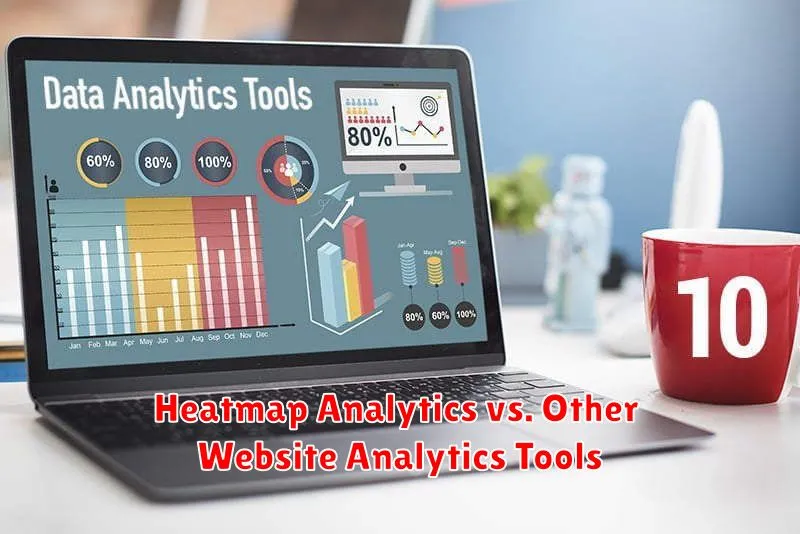
While both heatmap analytics and traditional website analytics tools like Google Analytics aim to improve website performance, they offer distinct perspectives and functionalities. Heatmaps visually represent user behavior, showing where users click, move their mouse, and scroll on a page. This provides qualitative insights into user interactions.
Traditional analytics, on the other hand, primarily focus on quantitative data, such as page views, bounce rates, and conversion rates. They offer a broad overview of website traffic and user flow but lack the visual granularity of heatmaps. For example, Google Analytics can tell you that a page has a high bounce rate, but a heatmap can reveal why users are leaving—perhaps a crucial button is overlooked.
In essence, heatmaps complement traditional analytics. Use traditional tools to identify problem areas, and then employ heatmaps to diagnose the specific issues and formulate targeted solutions. While traditional analytics answers “what,” heatmaps help to answer “why.”
Tools and Platforms for Heatmap Analytics
Numerous tools and platforms are available for implementing heatmap analytics on your website. These solutions vary in features, pricing, and ease of use, catering to different needs and budgets.
Popular Heatmap Tools:
- Hotjar: A comprehensive platform offering heatmaps, session recordings, and feedback tools.
- Crazy Egg: Known for its confetti heatmap, which segments clicks by referral source.
- Mouseflow: Provides heatmaps, session replays, and form analytics for in-depth user behavior analysis.
- Lucky Orange: Offers heatmaps, live chat, and conversion funnels to optimize the user experience.
- Smartlook: Focuses on session recordings and event tracking, complementing heatmap data.
When choosing a tool, consider factors like the number of pageviews tracked, the types of heatmaps offered (click, scroll, move), and the integration capabilities with your existing analytics setup.
The Future of Heatmap Analytics and User Experience Research
The future of heatmap analytics is intertwined with advancements in artificial intelligence (AI) and machine learning (ML). These technologies promise to enhance the precision and predictive capabilities of heatmaps, allowing for a deeper understanding of user behavior.
AI-powered heatmaps can potentially identify patterns and anomalies in user interactions that might be missed by traditional analysis. Imagine systems that automatically suggest A/B tests based on real-time heatmap data, or predict user frustration points before they lead to abandonment.
Furthermore, integration with other data sources, such as customer relationship management (CRM) systems and voice of the customer (VoC) platforms, will provide a more holistic view of the user journey. This will enable businesses to personalize experiences and optimize websites with unprecedented accuracy.
The trend leans towards more dynamic, real-time, and actionable insights, making heatmap analytics an indispensable tool for user experience research in the years to come.
