
In today’s fast-paced business environment, document management is no longer a luxury but a necessity. Organizations across the globe generate massive volumes of information daily, ranging from contracts and invoices to reports and emails. Efficiently managing these documents is crucial for productivity, compliance, and overall business success. A Document Management System (DMS) provides a structured and streamlined approach to organizing, storing, securing, and retrieving these critical business assets. Are you struggling to keep track of your vital records? This article aims to demystify DMS, providing you with a comprehensive understanding of its features, benefits, and implementation considerations, regardless of your industry or geographic location.
This article will serve as your guide to navigating the world of document management systems. We will explore the core functionalities of a DMS, including document capture, indexing, version control, workflow automation, and security features. We will also delve into the different types of DMS solutions available, from on-premise systems to cloud-based platforms, and discuss the factors to consider when choosing the right DMS for your organization. Ultimately, this resource will equip you with the knowledge to make informed decisions about implementing a DMS and transforming your organization’s approach to information management.
Defining a Document Management System (DMS): Core Functionality
A Document Management System (DMS) is a software system or a set of software systems used to store, manage, and track electronic documents and electronic images of paper-based information captured through the use of a document scanner.
At its core, a DMS offers several crucial functionalities:
- Document Capture and Storage: Ingesting documents from various sources and securely storing them.
- Indexing and Organization: Categorizing and tagging documents for easy retrieval.
- Search and Retrieval: Quickly locating documents based on keywords, metadata, or content.
- Version Control: Tracking changes and maintaining a history of document revisions.
- Security and Access Control: Restricting access to sensitive information based on user roles and permissions.
- Workflow Automation: Streamlining document-related processes, such as approvals and reviews.
By providing these core functionalities, a DMS helps organizations improve efficiency, reduce costs, and enhance compliance.
The Evolution of Document Management: From Paper to Digital
The journey of document management has been a transformative one, evolving from cumbersome paper-based systems to sophisticated digital solutions. Historically, organizations relied heavily on physical archives, requiring significant storage space and labor-intensive manual processes. Locating, retrieving, and sharing documents were time-consuming and prone to errors.
The advent of computers marked the initial shift towards digital document handling. Early efforts involved storing documents as simple files on hard drives. However, this approach lacked the organization and features needed for effective management. The subsequent development of optical character recognition (OCR) technology enabled the conversion of scanned documents into searchable text, a significant advancement.
The real turning point came with the emergence of dedicated Document Management Systems (DMS). These systems provided structured frameworks for storing, indexing, retrieving, and controlling documents. This transition from physical to digital represented a paradigm shift, leading to increased efficiency, reduced costs, and improved accessibility. DMS continues to evolve, incorporating cloud technology and AI.
Key Components of a Modern DMS
A modern Document Management System (DMS) comprises several essential components that work together to ensure efficient document handling. These components facilitate everything from document capture to secure archiving.
- Document Capture: This involves scanning paper documents and converting them into digital formats using technologies like Optical Character Recognition (OCR).
- Indexing and Metadata: Assigning relevant keywords and metadata to documents for easy searching and retrieval.
- Storage and Repository: Secure and centralized storage for all digital documents.
- Version Control: Tracking changes made to documents and maintaining a history of versions.
- Workflow Automation: Automating document-related processes such as approvals and routing.
- Security and Access Control: Controlling who can access, view, edit, and delete documents.
- Search and Retrieval: Powerful search functionality to quickly locate documents based on various criteria.
These components are crucial for a DMS to effectively manage the document lifecycle and provide value to an organization.
Benefits of Implementing a Document Management System
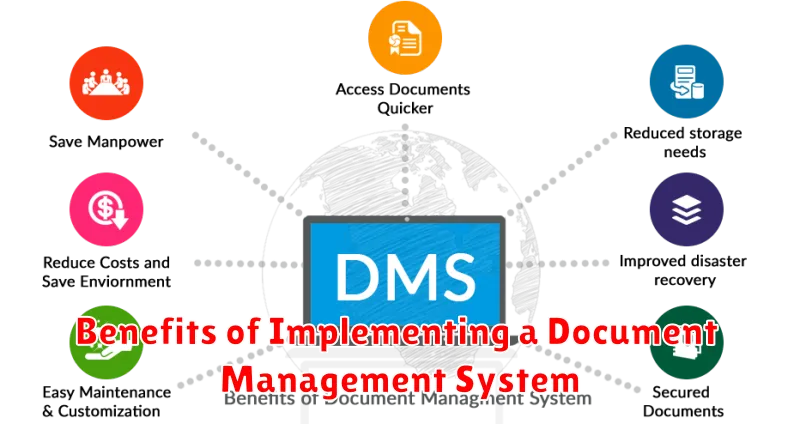
Implementing a Document Management System (DMS) offers numerous advantages that can significantly improve an organization’s efficiency and effectiveness. These benefits span across various operational areas, leading to tangible cost savings and improved performance.
- Enhanced Efficiency: A DMS streamlines document retrieval, reducing the time spent searching for information.
- Improved Collaboration: Centralized document storage facilitates seamless collaboration among team members, regardless of location.
- Reduced Costs: By minimizing paper usage, storage space requirements, and printing expenses, a DMS contributes to substantial cost reduction.
- Better Security: A DMS offers robust security features, including access controls and encryption, protecting sensitive information from unauthorized access.
- Increased Productivity: Streamlined workflows and easy access to information empower employees to be more productive.
- Disaster Recovery: Digital documents are easily backed up, ensuring business continuity in the event of a disaster.
How a DMS Improves Compliance and Security
A Document Management System (DMS) significantly enhances compliance and security measures for organizations. By centralizing document storage, a DMS enables strict access controls, ensuring that only authorized personnel can view, edit, or delete sensitive information. This is crucial for complying with regulations like HIPAA, GDPR, and SOX.
Version control features within a DMS provide an audit trail of all document modifications, allowing for easy tracking of changes and accountability. This is invaluable during audits and compliance checks. Furthermore, features like encryption and data loss prevention (DLP) safeguards prevent unauthorized access and data breaches.
A DMS also facilitates the implementation of standardized document retention policies, ensuring that documents are stored and disposed of according to legal requirements. This reduces the risk of non-compliance and potential legal penalties. By automating these processes, a DMS minimizes human error and strengthens overall data governance.
Integrating a DMS with Existing Business Systems
Seamless integration is crucial for maximizing the value of a Document Management System (DMS). A well-integrated DMS avoids data silos and streamlines workflows by connecting with other critical business applications.
Common Integration Points:
- Enterprise Resource Planning (ERP) Systems: Facilitating access to financial documents, purchase orders, and invoices directly from the ERP interface.
- Customer Relationship Management (CRM) Systems: Linking customer records with relevant documents for improved customer service and sales processes.
- Human Resources Information Systems (HRIS): Managing employee records, performance reviews, and other HR-related documentation within a centralized system.
- Email Systems: Archiving emails and attachments directly into the DMS, ensuring compliance and easy retrieval.
Benefits of Integration:
- Improved Efficiency: Reduces manual data entry and eliminates the need to switch between multiple applications.
- Enhanced Data Accuracy: Ensures consistent data across all systems.
- Streamlined Workflows: Automates document-related tasks and processes.
- Better Decision-Making: Provides a holistic view of information for more informed decision-making.
Choosing the Right DMS for Your Organization
Selecting the appropriate Document Management System (DMS) is crucial for maximizing efficiency and achieving your business goals. The optimal choice depends on your organization’s specific needs, size, and industry.
Consider the following factors when evaluating DMS options:
- Scalability: Can the system accommodate future growth and increasing document volumes?
- Integration Capabilities: Does it seamlessly integrate with your existing business applications (e.g., CRM, ERP)?
- User-Friendliness: Is the interface intuitive and easy to navigate for all users?
- Security Features: Does it offer robust security measures, including access controls, encryption, and audit trails?
- Compliance Requirements: Does it meet the regulatory compliance standards relevant to your industry (e.g., HIPAA, GDPR)?
- Cost: Evaluate the total cost of ownership, including licensing fees, implementation costs, and ongoing maintenance.
It is advisable to request demos from multiple vendors and conduct thorough testing to ensure the chosen DMS aligns with your organization’s requirements.
DMS Implementation Best Practices
A successful DMS implementation hinges on meticulous planning and execution. Begin with a comprehensive assessment of your organization’s document workflows, storage needs, and security requirements.
Define clear objectives and metrics for success. What specific problems are you trying to solve? How will you measure the effectiveness of the DMS?
Prioritize data migration. Develop a strategy for transferring existing documents into the new system, ensuring data integrity and minimal disruption to operations.
Thorough training is essential. Equip your employees with the knowledge and skills to effectively utilize the DMS features and functionalities.
Establish robust governance policies. Define rules for document access, version control, retention, and disposal to maintain data security and compliance.
Finally, conduct rigorous testing and validation before the official launch to identify and address any potential issues.
Document Management System Trends
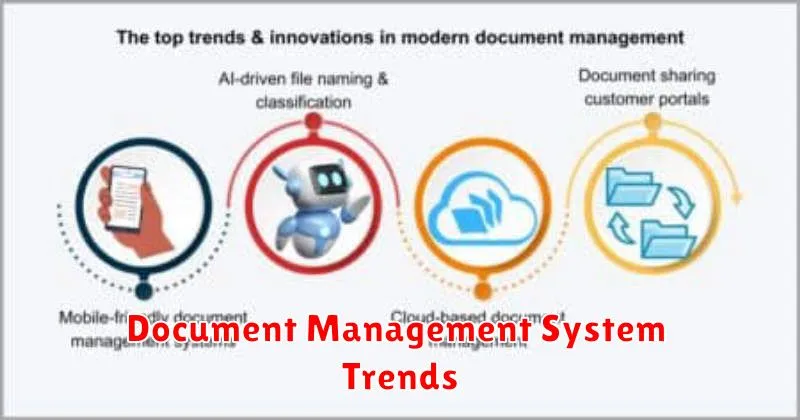
The landscape of Document Management Systems (DMS) is continuously evolving, driven by technological advancements and changing business needs. Organizations are increasingly adopting cloud-based DMS solutions for enhanced accessibility and scalability.
Mobile accessibility is another significant trend, with DMS platforms now offering robust mobile applications for accessing and managing documents on the go.
The integration of Artificial Intelligence (AI) and Machine Learning (ML) is also becoming more prevalent, enabling features like intelligent document capture, automated data extraction, and predictive analytics. These technologies streamline workflows and improve document organization.
Furthermore, there’s a growing emphasis on enhanced security features, including advanced encryption, multi-factor authentication, and granular access controls, to protect sensitive information.
The Future of Document Management: AI and Automation
The future of Document Management Systems (DMS) is inextricably linked to advancements in Artificial Intelligence (AI) and Automation. These technologies promise to revolutionize how organizations handle information, offering greater efficiency, accuracy, and insights.
AI-powered features will become increasingly prevalent, including:
- Intelligent Document Recognition (IDR): Automatically extracts data from various document types with improved accuracy compared to traditional OCR.
- Predictive Analytics: Forecasting storage needs and identifying potential compliance risks.
- AI-Driven Search: Utilizing natural language processing (NLP) for more intuitive and relevant search results.
Automation will streamline processes such as:
- Automated Workflow Routing: Intelligent routing of documents based on content and pre-defined rules.
- Automated Compliance Checks: Ensuring documents meet regulatory requirements automatically.
- Automated Data Entry: Minimizing manual input and reducing errors.
These advancements will lead to more proactive and intelligent DMS, empowering organizations to better manage their information assets and gain a competitive advantage.
