
In today’s rapidly evolving digital landscape, self-service portals have emerged as a critical tool for businesses looking to enhance customer satisfaction, streamline operations, and reduce costs. This article delves into the transformative power of self-service portals, providing a comprehensive understanding of their definition, multifaceted benefits, and practical real-world examples. By leveraging these platforms, organizations can empower their customers and employees alike, fostering greater efficiency and autonomy in a variety of interactions.
The rise of self-service technology reflects a broader shift towards user empowerment and instant gratification. Instead of relying on traditional channels like phone calls or email, users increasingly prefer to find answers and resolve issues on their own. This preference is fueled by the convenience, speed, and accessibility offered by self-service portals, which can be accessed anytime, anywhere. Explore how implementing a robust self-service portal can provide a significant competitive advantage, driving business growth and improving overall customer experience across diverse industries.
Defining a Self-Service Portal: What Is It?
A self-service portal is a web-based platform that provides customers, employees, or partners with 24/7 access to information, tools, and support, enabling them to resolve issues and complete tasks independently. It aims to reduce reliance on traditional support channels such as phone calls and email.
Essentially, it is a centralized online hub where users can find answers to frequently asked questions (FAQs), troubleshoot problems, access how-to guides, submit service requests, track the status of their inquiries, and manage their accounts—all without direct human intervention.
The primary objective is to empower users to find solutions on their own, leading to increased satisfaction and efficiency while freeing up support staff to focus on more complex or critical issues.
Key Components of an Effective Self-Service Portal
An effective self-service portal hinges on several key components that work together to provide a seamless and helpful user experience.
- Comprehensive Knowledge Base: This is the backbone of the portal, containing a wealth of articles, FAQs, tutorials, and troubleshooting guides. Content should be accurate, up-to-date, and easy to understand.
- Intuitive Search Functionality: Users need to quickly find what they’re looking for. A robust search engine with intelligent suggestions and filters is crucial.
- User-Friendly Interface: The portal should be easy to navigate, with a clean and uncluttered design. Clear labeling and logical organization are essential.
- Personalization Options: Tailoring the portal experience to individual users, such as displaying relevant information based on their profile or past interactions, enhances engagement.
- Feedback Mechanisms: Implementing options for users to provide feedback on articles and overall portal experience helps to identify areas for improvement.
Benefits of Implementing a Self-Service Portal
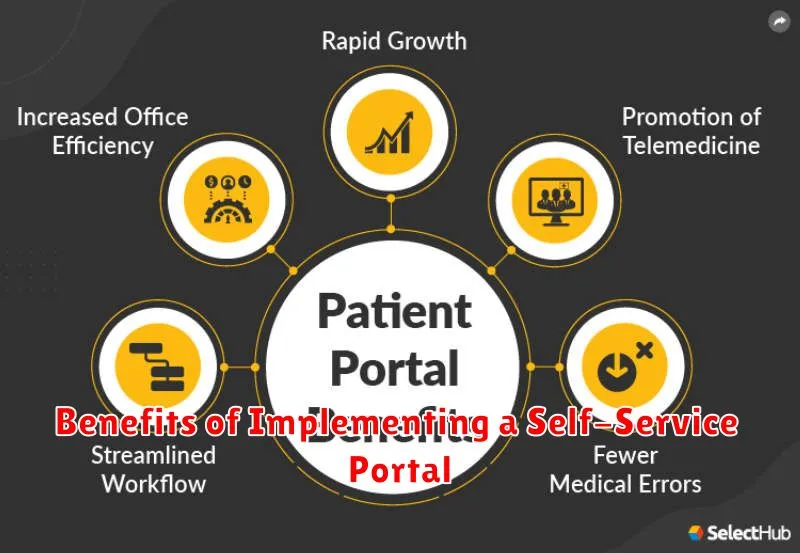
Implementing a self-service portal offers a multitude of advantages for both organizations and their users. These benefits span across improved customer satisfaction, reduced operational costs, and increased efficiency.
One significant benefit is the enhanced customer experience. Users can quickly find answers to their questions and resolve issues independently, at their own convenience, without needing to contact support. This leads to greater satisfaction and loyalty.
Furthermore, self-service portals contribute to reduced operational costs. By empowering users to self-resolve common issues, organizations can significantly decrease the volume of inbound support requests, freeing up support staff to focus on more complex and critical issues. This results in improved resource allocation and lower overall support costs.
Finally, these portals lead to increased efficiency. Readily available information and self-help tools enable users to quickly address their needs, reducing wait times and improving overall productivity. This streamlined approach contributes to a more efficient and effective user experience.
Self-Service Portal vs. Knowledge Base: Understanding the Difference
While both self-service portals and knowledge bases aim to empower users to find information and resolve issues independently, they differ in scope and functionality. A knowledge base primarily serves as a repository of information, often containing articles, FAQs, and tutorials. It focuses on providing answers to common questions and guiding users through specific tasks.
In contrast, a self-service portal offers a broader range of features. Beyond accessing a knowledge base, it typically includes tools for managing accounts, submitting support requests, tracking progress, and engaging with a community forum. Think of a knowledge base as a subset of a self-service portal. A portal offers a more comprehensive and interactive experience, enabling users to not only find information but also to take action and manage their interactions with an organization.
Essentially, a knowledge base informs, while a self-service portal empowers action.
Examples of Successful Self-Service Portals Across Industries
Numerous organizations have successfully implemented self-service portals to enhance customer and employee experiences. Here are a few examples across different sectors:
Healthcare
Healthcare providers often use portals to allow patients to schedule appointments, access medical records, and communicate with healthcare professionals securely. This empowers patients to manage their health information efficiently.
Financial Services
Banks and other financial institutions provide self-service portals for customers to manage accounts, apply for loans, and access statements. These portals typically offer 24/7 access and reduce the need for phone calls or in-person visits.
E-commerce
Online retailers implement portals enabling customers to track orders, manage returns, and access customer support resources. The aim is to resolve queries quickly and improve customer satisfaction.
Technology
Technology companies use portals for users to troubleshoot issues, access product documentation, and download software updates. This provides a scalable support mechanism, reducing reliance on traditional support channels.
Designing a User-Friendly Self-Service Portal
Creating a user-friendly self-service portal is crucial for its success. The primary goal is to provide users with an intuitive and efficient way to find answers and resolve issues independently.
Key Considerations:
- Intuitive Navigation: Implement clear and logical navigation to guide users effortlessly.
- Search Functionality: Provide a robust search engine that delivers accurate and relevant results.
- Mobile Responsiveness: Ensure the portal is accessible and functional across all devices.
- Clear Content Structure: Organize information logically with headings, subheadings, and concise paragraphs.
- Accessibility: Adhere to accessibility standards to accommodate users with disabilities.
Prioritize user feedback during the design process. Conduct usability testing to identify areas for improvement and ensure the portal meets user needs effectively. A well-designed portal will significantly enhance user satisfaction and reduce the workload on support teams.
Design Principles:
- Simplicity: Avoid overwhelming users with excessive information.
- Consistency: Maintain a consistent look and feel throughout the portal.
- Relevance: Present information that is directly relevant to the user’s needs.
Measuring the Success of Your Self-Service Portal
To ascertain the efficacy of a self-service portal, it’s imperative to establish and monitor key performance indicators (KPIs). These metrics provide tangible insights into user adoption, satisfaction, and the overall impact on business operations.
Key Metrics to Track
- Portal Usage Rate: Percentage of customers or employees utilizing the portal for self-service.
- Task Completion Rate: Success rate of users resolving issues independently through the portal.
- Customer Satisfaction (CSAT): User feedback regarding their experience with the portal.
- Call Deflection Rate: Reduction in support inquiries due to portal usage.
- Average Resolution Time: Time taken for users to resolve issues through the portal versus traditional channels.
- Cost Savings: Financial benefits derived from reduced support costs.
Regularly analyzing these metrics allows for continuous improvement and optimization of the self-service portal.
Integrating with Existing Systems for Enhanced Functionality
A self-service portal’s value is significantly amplified when seamlessly integrated with an organization’s existing systems. This integration allows for a more holistic and efficient user experience, streamlining workflows and providing access to a wider range of data and services.
Benefits of Integration
- Improved Data Accuracy: By connecting to systems of record, portals display real-time and accurate information.
- Automated Processes: Integration allows users to initiate actions in other systems directly from the portal, such as submitting requests or updating profiles.
- Enhanced User Experience: Users can access a unified view of information and services without having to navigate multiple applications.
- Reduced Redundancy: Eliminates the need for users to enter the same information in multiple systems.
Examples of Integrations
Common integrations include CRM systems, ERP systems, HR databases, and payment gateways. For instance, a customer self-service portal might integrate with a CRM to display customer order history and support tickets.
Security Considerations for Self-Service Portals
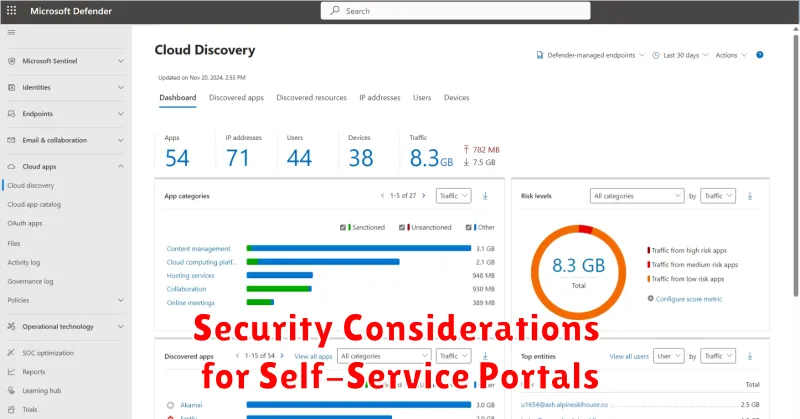
Security is paramount when implementing a self-service portal. Protecting sensitive user data and ensuring the integrity of the system are crucial. Failure to address these concerns can lead to data breaches, compromised accounts, and reputational damage.
Key Security Measures:
- Strong Authentication: Implement multi-factor authentication (MFA) to verify user identities.
- Data Encryption: Encrypt sensitive data both in transit and at rest.
- Access Control: Employ role-based access control (RBAC) to limit user access to only necessary information and functionalities.
- Regular Security Audits: Conduct periodic security audits and penetration testing to identify and address vulnerabilities.
- Secure Development Practices: Follow secure coding practices to prevent common web application vulnerabilities such as SQL injection and cross-site scripting (XSS).
- Data Privacy Compliance: Ensure compliance with relevant data privacy regulations such as GDPR and CCPA.
By prioritizing these security measures, organizations can build a self-service portal that is both user-friendly and secure, fostering trust and confidence among users.
Future Trends in Self-Service Portal Technology
The landscape of self-service portal technology is rapidly evolving, driven by advancements in Artificial Intelligence (AI), Machine Learning (ML), and shifting customer expectations. Expect to see increased personalization, with portals leveraging data analytics to provide tailored experiences and proactively address user needs.
Enhanced Automation will be crucial, with AI-powered chatbots and virtual assistants handling more complex inquiries and automating repetitive tasks. This leads to faster resolution times and reduced burden on human support agents.
Seamless Integration with various systems and platforms will also be a key focus. Portals will need to connect with CRM, ERP, and other business applications to provide a unified view of customer data and enable end-to-end self-service capabilities.
Another trend is the rise of low-code/no-code platforms. These platforms democratize portal development, enabling businesses to rapidly create and deploy self-service solutions without extensive coding knowledge.
Finally, expect increased emphasis on mobile-first design and accessibility, ensuring users can access self-service resources anytime, anywhere, on any device.
