
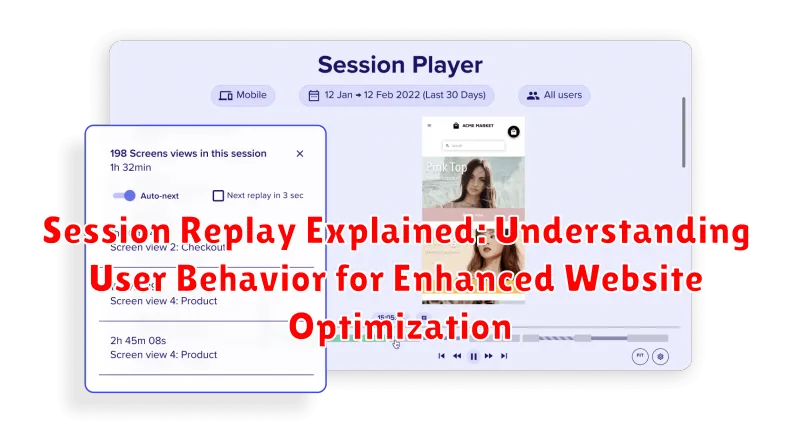
In today’s dynamic digital landscape, understanding user behavior on your website is paramount for achieving optimal performance and driving conversions. Session replay, a powerful website analytics tool, offers invaluable insights into how users interact with your site, allowing you to identify usability issues, pinpoint friction points, and ultimately, enhance the overall user experience (UX). This article delves into the intricacies of session replay explained, providing a comprehensive overview of its functionalities and benefits for website optimization. We’ll explore how this technology can transform raw data into actionable intelligence, enabling you to make data-driven decisions that improve your website’s effectiveness.
Session replay analysis provides a visual representation of real user sessions, capturing mouse movements, clicks, scrolls, and form interactions. This allows you to literally “see” your website through the eyes of your visitors. By observing these recorded sessions, you can identify areas where users are struggling, experiencing confusion, or abandoning their tasks. Understanding user behavior through session replays empowers you to optimize your website’s design, content, and functionality, leading to increased engagement, higher conversion rates, and improved customer satisfaction. This understanding goes beyond traditional analytics, offering a qualitative perspective that complements quantitative data for a more holistic view of your website’s performance.
What is Session Replay and How Does it Work?
Session replay is a technology that allows you to record and play back individual user sessions on your website or application, providing a visual representation of how users interact with your digital product.
Essentially, it’s like watching a video recording of a user’s journey on your site. Instead of relying solely on aggregated data, session replay provides a granular view of user behavior. This includes mouse movements, clicks, scrolls, form inputs, and navigation patterns.
Here’s a simplified breakdown of how it works:
- A small piece of JavaScript code is embedded on your website.
- When a user visits your site, the script starts recording their actions within the defined scope.
- The recorded data is then sent to a server and processed.
- You can then access and replay these sessions through a session replay tool’s interface.
Crucially, many session replay tools offer masking or redaction features to protect sensitive user data during recording and playback, ensuring compliance with privacy regulations.
Key Benefits of Using Session Replay Tools
Session replay tools offer a multitude of advantages for website owners and digital marketers seeking to improve user experience and optimize their online presence. These tools provide invaluable insights into how visitors interact with a website, revealing patterns and behaviors that traditional analytics often miss.
One of the primary benefits is the ability to identify usability issues. By watching recordings of real user sessions, one can easily spot areas where users are struggling to navigate, encountering errors, or experiencing frustration. This direct observation allows for quick identification and resolution of these issues.
Furthermore, session replay tools enhance conversion rate optimization (CRO) efforts. Understanding why users abandon their shopping carts, fail to complete forms, or leave a page without engaging is crucial for improving conversion rates. Session replays provide the context needed to understand these behaviors and make data-driven decisions to optimize the conversion funnel.
Improved customer support is another key benefit. By replaying a user’s session, support teams can gain a clearer understanding of the issues the user encountered, leading to faster and more effective resolutions.
In summary, session replay tools empower businesses to make informed decisions about website design, content, and functionality, ultimately leading to a better user experience and improved business outcomes.
Understanding User Behavior Through Session Replays
Session replay provides invaluable insights into how users actually interact with your website. Unlike traditional analytics, which primarily offer aggregated data, session replays allow you to visualize individual user journeys, observing their mouse movements, clicks, scrolls, and form interactions.
By watching these replays, you can gain a deep understanding of:
- The path users take through your site.
- The elements they interact with most (or ignore).
- Any points of confusion or frustration.
- Areas where they struggle to find information or complete tasks.
This qualitative data complements quantitative analytics, providing context and explanation for the numbers. For instance, if analytics show a high bounce rate on a specific page, session replays can reveal why users are leaving – perhaps due to a broken link, confusing layout, or difficulty finding the call to action.
Ultimately, understanding user behavior through session replays empowers you to make data-driven decisions to improve user experience and optimize your website for better results.
Identifying and Addressing User Pain Points
Session replay provides invaluable insights into user behavior, enabling the identification of pain points within the user experience. By watching actual user interactions, you can pinpoint areas where users encounter frustration, confusion, or difficulty.
Common pain points identified through session replay include:
- Confusing navigation: Users struggling to find desired information.
- Form abandonment: Users leaving forms incomplete due to complexity or errors.
- Slow loading times: Users experiencing delays that lead to frustration.
- Broken elements: Users encountering non-functional features or visual glitches.
- Mobile responsiveness issues: Users facing difficulties on mobile devices.
Once identified, these pain points can be addressed through targeted improvements. For example, simplifying navigation, optimizing forms, enhancing page speed, fixing broken elements, and improving mobile responsiveness. Addressing these issues leads to a smoother, more enjoyable user experience, ultimately boosting conversion rates and customer satisfaction.
Improving Website Conversion Rates with Session Replay Analysis
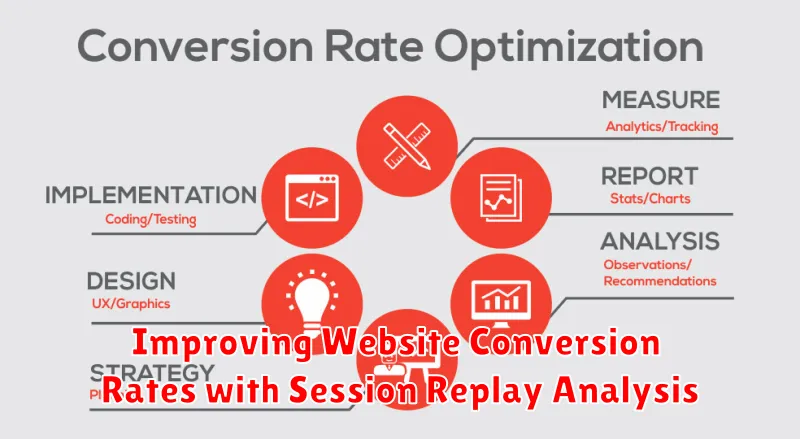
Session replay analysis provides invaluable insights into user behavior, directly impacting website conversion rates. By visually observing how users interact with your site, you can pinpoint areas of friction preventing successful conversions.
Specifically, session replays help identify:
- Drop-off points: Where users are abandoning the conversion funnel.
- Form abandonment: Which fields are causing users to hesitate or give up.
- Confusion and frustration: Signs of user struggle indicating usability issues.
Addressing these issues can lead to significant improvements. For example, simplifying a confusing form field, streamlining the checkout process, or clarifying unclear calls-to-action can directly boost conversion rates. By using session replay data to inform A/B testing and website redesigns, you can optimize your site for maximum conversion efficiency.
Session Replay vs. Traditional Web Analytics
While both session replay and traditional web analytics aim to improve website performance, they offer fundamentally different perspectives on user behavior. Traditional analytics, like Google Analytics, provides aggregated data on metrics such as page views, bounce rates, and conversion rates. This data is quantitative and reveals *what* is happening on your website.
Session replay, on the other hand, provides a qualitative understanding by allowing you to *see* exactly how individual users interact with your site. You can watch recordings of user sessions to observe mouse movements, clicks, scrolling behavior, and form interactions. This reveals *why* users behave in certain ways.
Here’s a table summarizing the key differences:
| Feature | Traditional Web Analytics | Session Replay |
|---|---|---|
| Data Type | Aggregated, Quantitative | Individual, Qualitative |
| Insight Provided | What is happening | Why it is happening |
| Typical Metrics | Bounce Rate, Page Views, Conversion Rate | User Mouse Movements, Click Patterns, Form Interactions |
Ultimately, session replay complements traditional web analytics by providing the context and depth needed to interpret quantitative data and identify areas for website optimization.
Choosing the Right Session Replay Tool for Your Needs
Selecting the appropriate session replay tool is crucial for maximizing its benefits. Several factors should influence your decision, aligning with your specific website needs and analytical goals.
Key Considerations:
- Features: Evaluate the features offered. Does it include heatmaps, form analytics, and user segmentation?
- Integration: Ensure seamless integration with your existing analytics platforms (e.g., Google Analytics) and CRM systems.
- Scalability: Choose a tool that can handle your website’s traffic volume and data storage requirements.
- Pricing: Compare pricing models to find a cost-effective solution that fits your budget. Consider free trials or demos before committing.
- Data Security and Privacy: Verify the tool’s compliance with data privacy regulations (e.g., GDPR, CCPA) and its security measures for protecting user data.
- Ease of Use: A user-friendly interface and comprehensive documentation are essential for efficient analysis.
Carefully assess your needs and prioritize features to make an informed decision when selecting a session replay tool.
Best Practices for Implementing and Using Session Replay
To maximize the effectiveness of session replay, adhering to certain best practices is crucial. First, clearly define your objectives. What specific user behaviors or website issues are you trying to understand? This focus will guide your analysis.
Next, segment your recordings based on relevant criteria such as user demographics, traffic sources, or specific actions taken on the website. Segmentation allows for more targeted and insightful analysis.
Prioritize recordings that highlight potential usability issues or areas of high drop-off. Don’t attempt to watch every single session; instead, focus on those that are most likely to provide actionable insights.
Ensure compliance with privacy regulations. Mask sensitive data like credit card numbers and personally identifiable information (PII) to protect user privacy.
Finally, integrate session replay data with other analytics platforms to gain a holistic view of user behavior. This integration allows you to correlate quantitative data with qualitative observations from session replays.
Ethical Considerations and Privacy in Session Replay
While session replay offers invaluable insights into user behavior, it is crucial to address the inherent ethical considerations and privacy implications. Implementing session replay tools requires a commitment to responsible data collection and usage.
Here are key aspects to consider:
- Data Anonymization: Implement robust anonymization techniques to mask sensitive user data, such as Personally Identifiable Information (PII), including names, addresses, and payment details.
- User Consent: Obtain explicit user consent before recording their sessions. Clearly communicate the purpose of session recording and provide users with the option to opt-out.
- Data Security: Ensure secure storage and transmission of session replay data to prevent unauthorized access and data breaches.
- Compliance: Adhere to relevant data privacy regulations, such as GDPR, CCPA, and other applicable laws.
- Transparency: Be transparent about your session replay practices in your privacy policy. Explain how you collect, use, and protect user data.
Failure to address these considerations can lead to legal repercussions, reputational damage, and loss of user trust. Prioritizing ethical and privacy-conscious practices is paramount when utilizing session replay technology.
Advanced Techniques for Analyzing Session Replay Data
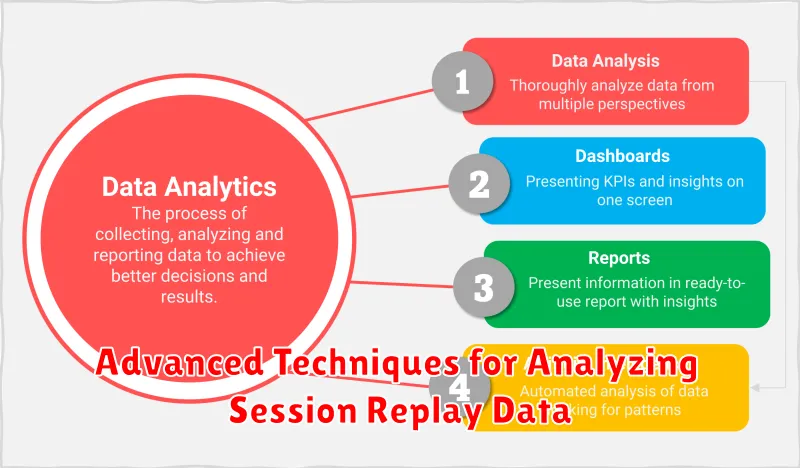
While simply watching session replays provides valuable insights, advanced techniques can unlock a deeper understanding of user behavior. These techniques often involve aggregating and analyzing replay data at scale.
Cohort Analysis
Cohort analysis groups users based on shared characteristics (e.g., acquisition channel, sign-up date) to identify patterns in behavior and conversion rates. Comparing cohorts through session replays reveals how different user segments interact with your website.
Funnel Analysis with Replays
Integrate session replay data with your funnel analysis. When users drop off at specific steps in a funnel, reviewing the corresponding session replays provides context on *why* the drop-off occurred. This can expose usability issues, confusing content, or technical glitches.
Heatmap Overlay
Some session replay tools allow you to overlay heatmaps onto specific pages, visualizing where users click, move their mouse, and scroll. Coupling this with individual session replays provides a robust understanding of user engagement. Look for correlations between heatmap data and individual replay observations.
Sentiment Analysis
Analyze user input fields (forms, search bars) for sentiment. If users are frequently frustrated or confused (e.g., demonstrated by repeated backspacing or error messages), the replays can pinpoint the source of the negativity and inform improvements.
